

Text to Speech and Speech to T
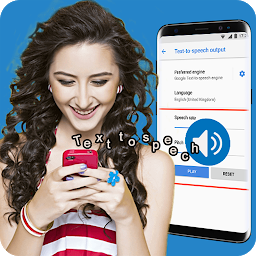
You can simply paste or type text into our app and Text to Speech app will speak the required text for you.
You can adjust speed and pitch of the voice.
This app is suitable for all those who do not have time to read all the text in the document.
Just paste your text into our app and it will do the rest and convert your text into voice notes.
You can save them too for future reference.
The best feature of this app is that you can save voice notes of your text files.If you cannot speak English or any language and want to convey your message, you can paste or type your text in our app and our Speak for me app will speak for you with different voice styles.
Features:Text to Speech Synthesize with different settings and languagesSpeed Adjustment of Speech, You can Change Speed of Voice.Pitch Adjustment of Speech, You can Adjust voice Pitch for different Voice Styles.
Volume Adjustment.
Easy to Use interface.Different styles of Speech.
Past option, to Paste desired text for Speech.
Text to Speech Converter.
Simple and Accurate Pronunciation.
Save voice notes into different formats.
Just download our Text to Speech (tts) app and Start Converting your text to voice notes.
About Text to Speech and Speech to T
- Package name (App ID)
- com.texttospeechtts.speechtotextstt.voicenotes
- Available on
- Google Play
- Price
- Free
- Developer
- S A Technalogies
Looking for the Text to Speech and Speech to T APK?
The safest way to get Text to Speech and Speech to T (com.texttospeechtts.speechtotextstt.voicenotes) on your Android device is to install it directly from Google Play — you'll always get the latest official version, automatic updates, and no risk of modified or infected APK files from third-party sites.

Food & Dining
Discover recipes and order food from your favorite restaurants.
Lifestyle
Enhance your lifestyle with personalized tips and features.
Offline Mode
Use the app without an internet connection. Your data syncs when you're back online.
See Text to Speech and Speech to T in Action


Frequently Asked Questions
Is Text to Speech and Speech to T free?
Yes, Text to Speech and Speech to T is free to download and install on Android through Google Play.
How do I install Text to Speech and Speech to T on Android?
Open Google Play on your Android phone or tablet, search for Text to Speech and Speech to T by S A Technalogies or tap the Google Play button on this page, then tap Install. The app downloads and installs automatically.
What is com.texttospeechtts.speechtotextstt.voicenotes?
com.texttospeechtts.speechtotextstt.voicenotes is the App ID (package name) of Text to Speech and Speech to T on Google Play. Every Android app has a unique package name, and it is the safest way to verify you are installing the official app.
Is Text to Speech and Speech to T safe to download?
Installing Text to Speech and Speech to T from Google Play is the safest option: you get the official version published by S A Technalogies, verified by Google Play Protect, with automatic updates. Avoid APK files from unofficial third-party sites.
Get Text to Speech and Speech to T Today
Text to Speech and Speech to T for Android — free download on Google Play.
Compatible with Android phones and tablets — available on Google Play.
Ask AI about this app
Get instant answers about features, tips and more from popular AI assistants.